Showing posts with label GoAnimate. Show all posts

Thursday, 24 February 2011

Tuesday, 2 November 2010

Learning Curves: Lake School of English, November 2010

Photo above courtesy of Veselin.

I was very excited when I was asked to teach on the Teachers' Refresher course "Learning Curves: Making Use of New Technologies in English Language Teaching" at the Lake School of English, Oxford. Without hesitating I immediately agreed to do this exciting new course. Teaching with technology seemed like a tailor-made project for me, especially as I enjoy using new technologies.

I hope to showcase some of the tools demonstrated to the 11 teachers during the one week intensive course, and also anything that is created by them after the course, which is sent to me. We covered a lot of ground in the one week intensive course, culminating in a workshop / swapshop on the final day, with some Karaoke music and singing, courtesy of www.tuneintoenglish.com, and lovely drinks and nibbles in the last half an hour!

My lovely group of "Learning Curves" teachers at the Lake School of English, Oxford.

The course comprised of the following:
  • Introductions and Icebreakers with web 2.0 tools including Wordle, Xtranormal, Photopeach and Go Animate.
  • "Coat of Arms" introductions: drawing and speaking activity
  • Presentation and discussion on a wide range of web 2.0 tools including Voki, Glogster, Voicethread, Wordle, Wallwisher, Fotobabble and ToonDo amongst others.
  • Language update comprising of idioms, phrasal verbs and colloquial English including examples of new acronyms in the context of authentic materials. I showed the teachers this recent lesson from my archives.
  • Presentations on the Interactive Whiteboard at Oxford University Press, and also at the Oxford and Cherwell Valley College. The talk and practical demonstration at the vocational college included references to digital materials and VLEs. We were then treated to a fabulous 3-course meal prepared for us by the hospitality and catering students, who also served us in a very efficient and friendly manner.
  • Presentation on the use of images, with reference to image editing sites, such as Image Chef, (always a winner!), Tuxpi, Big Huge Labs etc.
  • A session on "Britain Today", which included a discussion on current social issues. We also looked at some Cockney rhyming slang for a bit of fun. We learned "Take a butcher's at this!" = Take a look at this! and also "Not a bad Dickory Dock" = clock!
  • Discussions based on input from the teachers, eg dogme teaching, the validity of text speech etc
  • Pair forms / group forms using language / vocabulary taught in class
  • Storybuilding from picture prompts.
  • Community dictation activity using new words studied. Please see below.
  • Introduction to the social networking site Twitter, with a live exchange on Twitter with my PLN and the teachers. (Thank you so much once again to all the members who responded to my call out. It was lovely to see so many messages and my teachers really appreciated it all. Unfortunately, we were not able to participate in the ELTChat as originally planned.) Hopefully, there will be some new members of Twitter joining the ranks soon!
  • Other topics which cropped up "unplugged".
  • Introduction to "Quizlet" a site for creating dynamic quizzes for revision purposes. I created a set on "New Words".
  • A lovely presentation on Webquests by Elena from Romania on the final morning.
  • A final workshop / swapshop where participants were able to practise what they had seen during the course.
The classroom became a hive of activity with fabulous creations on computers including blogs, wikis, animations, wordles, glogsters and wallwishers. I floated around the classroom(s) monitoring the teachers' experimental activities. I stressed to them that learning new tools needs a bit of practice and patience, but with Russel Stannard's excellent Teacher Training Video Tutorials to hand, they would easily pick up how to use a lot of these web 2.0 tools.

Below is a lovely photo of some of the teachers taken by Veselin Chantov, from Bulgaria, and turned into a Glogster.


Below is a Fotobabble created by me of Veselin's photo.


A screenshot of a lovely Glogster created by Stella Mastruzzi, Marinella Adamo and Paola Biancolini from Italy.


Here's a fab Glog that Stella created on Environmental issues. Please click on the link below.

http://stella50.glogster.com/glog-1208/

Below a fab "Wanted" poster effect from www.tuxpi.com from Veselin, who embraced the new technologies with great enthusiasm. I think this is brill!

You might like to read more about Tuxpi "Photo Effects" by the amazing Alex Francisco, on her Zarco English Tool of the Day blog.

A lovely Wordle of some of the new expressions we looked at, from Lorella Paltrinieri.
A poster that we saw, which contained a lovely example of a phrasal verb we had discussed in class. Photo courtesy of Lorella .
Below is a wordle summary of Day 2 vocabulary, edited with Tuxpi in 3 different ways.
I had a lot of fun!! Which one do you prefer???


A Wallwisher Feedback for all the group. This will be added to over the coming weeks. Contributions so far: myself, Connie Burchert from Germany, Dana Muntean from Romania, Stella and Lorella from Italy.


"The Oxford Experience", a fantastic Bookr created by Dana, using www.pimpampum.


You might like to view this lovely post entitled "Drilling with Bookr" by Eva Buyuksimkesiyan.

My very first Voicethread! This was a great opportunity and learning curve for me as well to try out something new. I had contributed to other people's Voicethreads many times, but not created one myself.


A lovely newspaper article feedback summary of the course by Veselin:
www.fodey.com

GoAnimate.com: Talking about a city also by Veselin.

A Special Message
To all my Lake School Learning Curves teachers: many thanks for being such a fabulous group! Keep in touch! I really enjoyed teaching you, and sharing lots of new things. Take care.

To all my lovely Lake School colleagues: It was fantastic being in the staffroom again for 2 weeks. I loved all the chats and fun that we had. Hope to be with you all again in the New Year.

To Susan, Carmel and Lilly: Thank you for welcoming me back so warmly. I look forward to working with you again soon.

Future Blog Posts in the Pipeline
TESOL-Italy Rome National Convention 2010
Packt Publishing - Moodle Book Review:Moodle 1.9: The English Teacher's Cookbook
Olive Tree Picking - Back in the Grove!
My 2nd Year Blog Anniversary.

Tuesday, 29 June 2010

Introductions and Icebreakers


You can click Wallwisher above to add your sticky, or for bigger image of Wallwisher, click here to add your stickies! Many thanks in advance.

Over the next 2 weeks I will be teaching 23 primary and secondary school EFL teachers in 2 groups at the Lake School of English, instead of writing about teaching! I love writing my blog, but it's time to get back to the chalkface, figuratively speaking. So, I've decided to experiment with my lesson planning here, where else? It will be a diary of events and also my learning journal.

One of my favourite icebreakers involves using stickies. I write down a combination of 5 numbers/names/years on the board, related to me eg
  • 3
  • 1979
  • Daphne
  • 18
  • 30

Students have to guess what these numbers/years/names refer to.

Students then write down 5 things related to them on a coloured stickie. They stick the stickie on themselves, and then walk around viewing as many other bits of information from the other students and trying to guess the significance of the numbers / names they see. It's a fun way of getting to know each other.

Web 2.0 Introductions and Icebreakers
I have experimented with creating introductions using Web 2.0 tools like the following. Please do write a comment about any other tools you have exploited when meeting a class for the first time. How was the new tool received? Any useful tips?

Xtranormal
True or False information about your teacher. Students have to guess which facts are true.


Go Animate!
Questions to get your students talking and discussing right from the very beginning. The questions go too fast, but they will be paused to give students time to answer.

GoAnimate.com: Introductions and Icebreakers by Janet Bianchini


Glogster: Interactive poster
Facts about your teacher -students guess meaning of images etc. Students then create their own posters to display.


Look at Powerpointing Me by Kalinago English. It contains an excellent lesson plan for Introductions.

PS If you were wondering about the answers to the Stickies Intro activity, here they are.
3- I have 3 dogs
1979 - I graduated
Daphne - my best friend at uni
18-years since tying the knot
30- years of service


Sunday, 4 April 2010

Teacher Reboot Camp:Guest Post

I have had the great pleasure of writing a guest post on Shelly Terrell's awesome "Teacher Reboot Camp" blog. I was delighted when I was invited by Shelly via Twitter a few weeks ago. I immediately knew what I wanted to do. I was in the middle of creating another Powerpoint presentation, one on Phrasal Verbs. I decided it would be a good theme to expand for a more in-depth post. I wrote my article directly onto Teacher Reboot Camp and did all the research whilst writing the draft there. I will confess now that it's all up and running fine, I was a bit afraid of accidentally deleting stuff, as I did in "Gone with the Wind". It's one thing to mess up one's own links, but to do so on someone else's blog, was absolutely unthinkable and not really an option to consider. I have asked Shelly's kind permission to present my guest post in full on my blog. The embeds and animations are now all in one easily accessible site for me to re-use and show to teachers and students in the future.


An Xtranormal Kind of Introduction

Teaching phrasal verbs is my favourite activity of all! Why is this so? Well, in my experience, I have found that students generally don’t like studying them because they find them “too difficult, miss!” I set out from elementary level to train my students not to be afraid of them, but to look forward to showing off their newly acquired knowledge of them. To stand out from the crowd. To use phrasals in a natural way. In the correct context. How do I do this? I will explain.

I encourage them to chill out during the lessons if I see they look a bit stressed out. I ask them to come up with ways of using new phrasals both in class and outside of class. I encourage them to ask each other this question as a natural starter “Have you come across this word? Do you know what it means?”, if for example, they don’t know the meaning of a word. Instead of asking me all the time, students are encouraged to ask each other first, always using this phrasal verb until it becomes instinctive for them and of course, second nature. On a Monday morning my first question is inevitably “What did you get up to over the weekend?” Students then ask each other in pairs and dialogue ensues following this prompt. Another question would be “Did you get through the weekend homework?” I make sure that these questions are all in context and provide opportunities for practice.

Slideshare

Below is an example of a Powerpoint presentation converted to Slideshare. I have created this in order to maximise opportunities for student discussion. This would either be used as an introduction to this set of verbs, or as a review and recycling activity. I have introduced 18 phrasal verbs with some follow-up activities at the end. I have experimented with whole pictures as background for added interest.

Bookr

Bookr by Pim Pam Pum is a nice tool for exploiting images to enhance your phrasal verbs lessons. You can easily create a “book” in minutes by selecting pictures, according to the theme you want to explore, and then simply dragging them into the pages of the book. You can write a short sentence on each page. The example below is one I created especially for this post to demonstrate how it can be used.

Dvolver

This is a great site for dialogue exploitation. The animations are easy to create with a set group of characters. There is a choice of background music which adds to the special effects. There is no sound for the characters.

Go!Animate

This is another cool site for creating animations. Go!Animate can be used by students to recycle phrasal verbs learned or indeed, any item of vocabulary that needs to be reviewed.

GoAnimate.com: Getting Down to Phrasals by Janet Bianchini

Create your own at GoAnimate.com.

The ZimmerTwins

I registered on the ZimmerTwins site for the purpose of researching for this post. I was surprised at how intuitive and easy it was to create my very first animation. I have a feeling that students will love this tool!

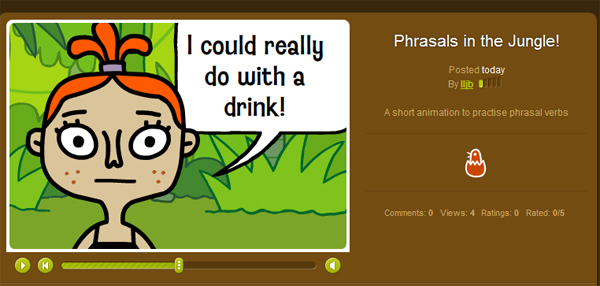
Phrasals in the Jungle!

Have a look at Phrasals in the Jungle!

ToonDo

I love ToonDo because it’s easy to create cartoons for any topic you like. Students enjoy creating small dialogues or comic strips. Here’s one I created which has a phrasal verbs theme. The cartoons can be easily embedded into your class / student blogs or posted via email.

A Dilemma
Create your own Toon!

PhotoPeach

The last on my list of favourite e-tools to make teaching and learning phrasal verbs fun is PhotoPeach. I was able to create a simple quiz using my own photos. You have to select a synonym out of the 3 options given for the verb in the picture. I hope you enjoy it!

Test your Phrasals! on PhotoPeach

Challenge

I hope I have inspired you to use some of these cool sites with your students. You can adapt them to suit whatever theme you are working with. Why don’t you try one of these out for your next class? I am sure your students would enjoy creating short animations and dialogues or short books or indeed quizzes to test each other on new vocabulary or structures they have learned with you.

Have you had experience with any of these tools? If so, I would love to hear from you to learn how you and your class got on with them!

I would like to thank Shelly for giving me this wonderful opportunity to write for her Cool Sites series. It’s a great honour for me to be here.

Friday, 5 February 2010

My Very First GoAnimate! Production

I've done it! After losing most of the data last night to recovering it just now, I am proud to present my first GoAnimate! slidecast. Many thanks go to Alex Francisco from Zarco English, for her excellent tutorial via the Moodle4Teachers "Web 2.0 Tools" course that I have recently joined. Please click on the link just above the video box to see it in a bigger screen.

GoAnimate.com: Introductions and Icebreakers by Janet Bianchini

Like it? Create your own at GoAnimate.com.

My first creation is very basic but I am so glad that I persevered. Next time, I will work on moving the characters a bit more and also try to create a dialogue.

I'd like to include a link to Alex's GoAnimate! Screencast which she made in order to introduce the tool to her students, who have created amazing video animations.


This is another video that Alex has created to present the school where she works. I think it's brilliant!

GoAnimate.com: Our School by alexgfrancisco


As you can see from what can be achieved, my first rendition is pretty basic in comparison and one-dimensional, but it's a start!! By the way, did you notice the moving desk? I didn't mean it to move, but never mind :) Also I like the fact that you can introduce your own photos as background and add your voice, to make it a truly personal show. Why don't you have a go and try it out? This tool is great for vocabulary exploitation and dialogue building purposes. It's free and easy to use. I'm going to present mine as an icebreaker and speaking activity with a group of EFL teachers I will be teaching in April at the wonderful Lake School of English, Oxford.