Sunday February16th marked the final day of the exciting five-week EVO Crafting the ePerfect Textbook session. It has been a truly exhilarating and educational experience, connecting with over 500 teachers from around the globe. I was helping the amazing organizer Shelly Terrell to moderate the Crafting the ePerfect eTextbook, together with 14 other moderators as seen in the screenshot below.
This session was a great CPD opportunity for me and I learned so much about how to write and publish a chapter of a textbook. I was able to meet and interact with so many enthusiastic participants, some I knew already, but a lot of new people, I met for the first time. The interactions took place mostly on the Google+ EVO Crafting the ePerfect Textbook community. Google+ was a new experience for me and I have to say I enjoyed learning more about how this site functions. It was the perfect place to host the session and everything was expertly organized by Shelly Terrell into the different weeks of the session.
There is a Listly Ebook EVO bookshelf of all the ebooks / pdfs / publications from the community here
During the pre-registration week and then the five weeks of the session, I enjoyed meeting and greeting all the participants and seeing how their projects developed from mindmapping of the initial ideas to the final creation of their ebook chapter. I was able to comment on and encourage the participants within the Google+ community and a lot of interesting resources and links were shared by everyone, moderators and participants alike. It was wonderful to see how everything evolved and how much enthusisam was poured into the session.
Apart from popping in daily to see what was happening in the community, I also added a few images and links to tools, that I thought might be useful. Below a list of some of the tools I used during the five weeks in no particular order.
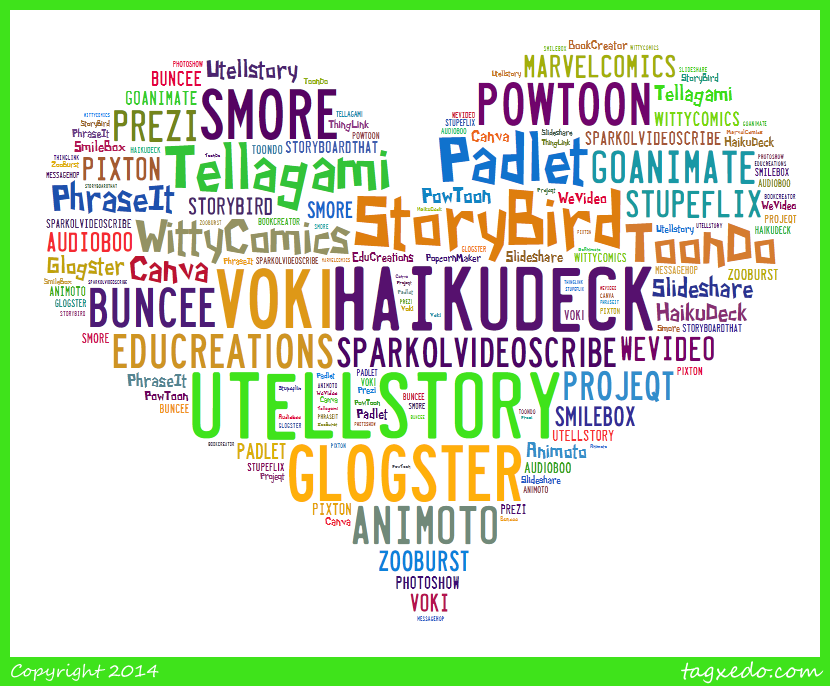
Tagxedo - A list of web 2.0 tools used by participants for their 3,2,1 introductions
Text2mindmap of Week 3 impressions
Fodey newspaper article feedback
A Bookr of my impressions of the session.
I would like to say a huge thanks to everyone for making these five weeks such a wonderful and stimulating experience! A special thanks to Shelly Terrell the super organizer, Rubena St Louis our session mentor, all my lovely co-moderators and all the fabulous participants. Congratulations to everyone who completed their ebook chapter!!
Also, included is a huge thanks to the very hardworking EVO Moderators' team led by Nina Liakos. The four-week Moderator Training session before the actual EVO sessions began, was very interesting and extremely practical. All in all, the past 10 weeks have flown past!
One of the participants and my dear fellow-blogger Natasa, has posted feedback of how her ebook chapter evolved during the five weeks. Many congratulations for her excellent ebook chapter called Travel.
I wrote this poem as a result of my amazing trip to Nicaragua in 1996. My sister Giulietta was working there for Oxfam. Until today, this poem was hidden in a box, in the confines of an attic. Now it has been found, and I immediately knew I had to transform it into a Bookr.
When I wrote the poem in 1996, I had no idea about web 2.0 tools and it was written down on a simple bit of paper, which I kept and then lost. I am not a poet, but Nicaragua got to my soul. I will never forget the power it had over me. Below is my homage to this proud and remarkable country. I used each letter of the country to spell out my feelings. I hope you like it.
I have had the great pleasure of writing a guest post on Shelly Terrell's awesome "Teacher Reboot Camp" blog. I was delighted when I was invited by Shelly via Twitter a few weeks ago. I immediately knew what I wanted to do. I was in the middle of creating another Powerpoint presentation, one on Phrasal Verbs. I decided it would be a good theme to expand for a more in-depth post. I wrote my article directly onto Teacher Reboot Camp and did all the research whilst writing the draft there. I will confess now that it's all up and running fine, I was a bit afraid of accidentally deleting stuff, as I did in "Gone with the Wind". It's one thing to mess up one's own links, but to do so on someone else's blog, was absolutely unthinkable and not really an option to consider. I have asked Shelly's kind permission to present my guest post in full on my blog. The embeds and animations are now all in one easily accessible site for me to re-use and show to teachers and students in the future.
An Xtranormal Kind of Introduction
Teaching phrasal verbs is my favourite activity of all! Why is this so? Well, in my experience, I have found that students generally don’t like studying them because they find them “too difficult, miss!” I set out from elementary level to train my students not to be afraid of them, but to look forward to showing off their newly acquired knowledge of them. To stand out from the crowd. To use phrasals in a natural way. In the correct context. How do I do this? I will explain.
I encourage them to chill out during the lessons if I see they look a bit stressed out. I ask them to come up with ways of using new phrasals both in class and outside of class. I encourage them to ask each other this question as a natural starter “Have you come across this word? Do you know what it means?”, if for example, they don’t know the meaning of a word. Instead of asking me all the time, students are encouraged to ask each other first, always using this phrasal verb until it becomes instinctive for them and of course, second nature. On a Monday morning my first question is inevitably “What did you get up to over the weekend?” Students then ask each other in pairs and dialogue ensues following this prompt. Another question would be “Did you get through the weekend homework?” I make sure that these questions are all in context and provide opportunities for practice.
Slideshare
Below is an example of a Powerpoint presentation converted to Slideshare. I have created this in order to maximise opportunities for student discussion. This would either be used as an introduction to this set of verbs, or as a review and recycling activity. I have introduced 18 phrasal verbs with some follow-up activities at the end. I have experimented with whole pictures as background for added interest.
Bookr by Pim Pam Pum is a nice tool for exploiting images to enhance your phrasal verbs lessons. You can easily create a “book” in minutes by selecting pictures, according to the theme you want to explore, and then simply dragging them into the pages of the book. You can write a short sentence on each page. The example below is one I created especially for this post to demonstrate how it can be used.
Dvolver
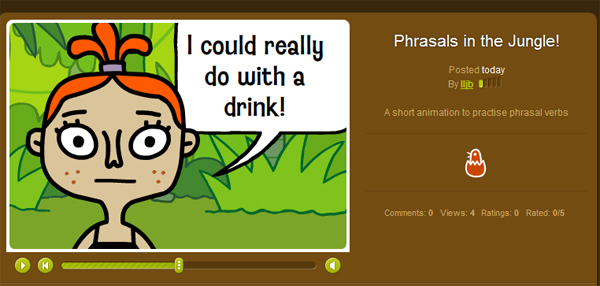
This is a great site for dialogue exploitation. The animations are easy to create with a set group of characters. There is a choice of background music which adds to the special effects. There is no sound for the characters.
Go!Animate
This is another cool site for creating animations. Go!Animate can be used by students to recycle phrasal verbs learned or indeed, any item of vocabulary that needs to be reviewed.
I registered on the ZimmerTwins site for the purpose of researching for this post. I was surprised at how intuitive and easy it was to create my very first animation. I have a feeling that students will love this tool!
I love ToonDo because it’s easy to create cartoons for any topic you like. Students enjoy creating small dialogues or comic strips. Here’s one I created which has a phrasal verbs theme. The cartoons can be easily embedded into your class / student blogs or posted via email.
The last on my list of favourite e-tools to make teaching and learning phrasal verbs fun is PhotoPeach. I was able to create a simple quiz using my own photos. You have to select a synonym out of the 3 options given for the verb in the picture. I hope you enjoy it!
Test your Phrasals! on PhotoPeach
Challenge
I hope I have inspired you to use some of these cool sites with your students. You can adapt them to suit whatever theme you are working with. Why don’t you try one of these out for your next class? I am sure your students would enjoy creating short animations and dialogues or short books or indeed quizzes to test each other on new vocabulary or structures they have learned with you.
Have you had experience with any of these tools? If so, I would love to hear from you to learn how you and your class got on with them!
I would like to thank Shelly for giving me this wonderful opportunity to write for her Cool Sites series. It’s a great honour for me to be here.
In answer to the above question, created on Wordle, I certainly have! If you read on, you will find out why I have been staying up quite late recently.
I finished my WikiEducator L4C29 online course last week and I am now reviewing my notes from the excellent tutorials. I started off a bit hesitantly and I had a few doubts whether I would be ok with something new, but with the help and expert guidance of my tutors and moral support from my co-participants, I was able to work through the schedule and learn a lot of new things such as the special syntax which is a part of a wiki and templates for worksheets. I found out about Liquid Threads. I participated in a live WizIQ workshop and saw and heard my tutors and I actually said something "live". I felt a bit shy about doing this, I don't know why! I took part in discussions, commented on other participants User pages, made friends, read lots of interesting things written by the participants and generally tried to collaborate and share the learning process. I still have lots to learn and practise but it has been great fun and the support has been excellent. I am interested in doing the next Learning4Content -30th Online Workshop starting here in order to brush up my existing skills. I highly recommend the course. It has opened up a new dimension of learning and sharing for me and one which I would like to investigate further.
I was able to master Apprentice Level 1 after 2-3 hours, then I progressed to Apprentice Level 2, and finally I was thrilled when I achieved the status of WikiBuddy in my last week. I have a lot of reviewing to do now as it was quite a lot of information to take in. As an exchange for the free workshop I had to sign a contract which promised to share a worksheet or lesson plan with WikiEducator. I thereby got down to creating some tips for teaching idioms using Web 2.0 tools and set about creating entirely new activities to add to the free open resources for WikiEducator.
As I will be adding this to my User Page as a feedback to the course, I would like to present what I came up with in order to create the new worksheet. It was a fantastic opportunity to use my imagination and I had to work under pressure as I wanted to have most of the worksheet prepared within the course parameters.
Again, I worked very hard during the 10 days but I really enjoyed the challenge of being with people who all shared the same aspirations and objectives as me. All the participants were committed educators from around the world. My eyes opened up to a whole new universe of experts in technology, wiki masters, professors at leading universities, e-tutors, Heads of IT departments, writers, Web 2.0 specialists from around the globe. The huge talent and resources that lies within the WikiEducator community is absolutely astounding. Everyone has a common goal: to share, remix and reuse some content freely within an open educational context.
I created the following examples of idioms using freely available Web 2.0 tools such as www.pimpampum.net, www.fodey.com, www.xtranormal.com and www.makebeliefscomix.com. These tools can all be used in a variety of ways to teach all kinds of subjects. Your imagination is your key to open up a whole world of exciting possibilities!
My Bookr Idioms
My Newspaper Idioms
My Xtranormal Idioms
My Comix Idioms
If you would like to learn more about WikiEducator and build up your wiki skills, please click here for a link to the information and registration page for the next workshop, which begins on September 21st for 10 days. I am sure you will enjoy it!
Here is something I have just written on Bookr. It was easy to do and great fun. Reading through my Twitter stream tonight I was inspired to create my new "bookr" by following a posting linked to this site by anamariacult, who has a wonderful blog.
This is a "book" I've just created following Nik Peachey's video tutorial posted today on how to use an innovative new tool called Bookr created by "www.PimPamPum.net. Bookr enables us to create nice interactive image books with text captions. It's my first attempt at becoming an "author" so I do apologise for the simplicity of my first publication! I had great fun experimenting with this. For a complete list of ways of exploiting this activity, please refer to: http://nikpeachey.blogspot.com/
Here's the Bookr video tutorial I looked at before I created my book.
I can imagine students would have a lot of fun creating their own mini books or short poems.






 Posts
Posts


